Disclosure: Some links in this article are affiliate
links. We may earn a commission if you click and make
a purchase, at no extra cost to you.
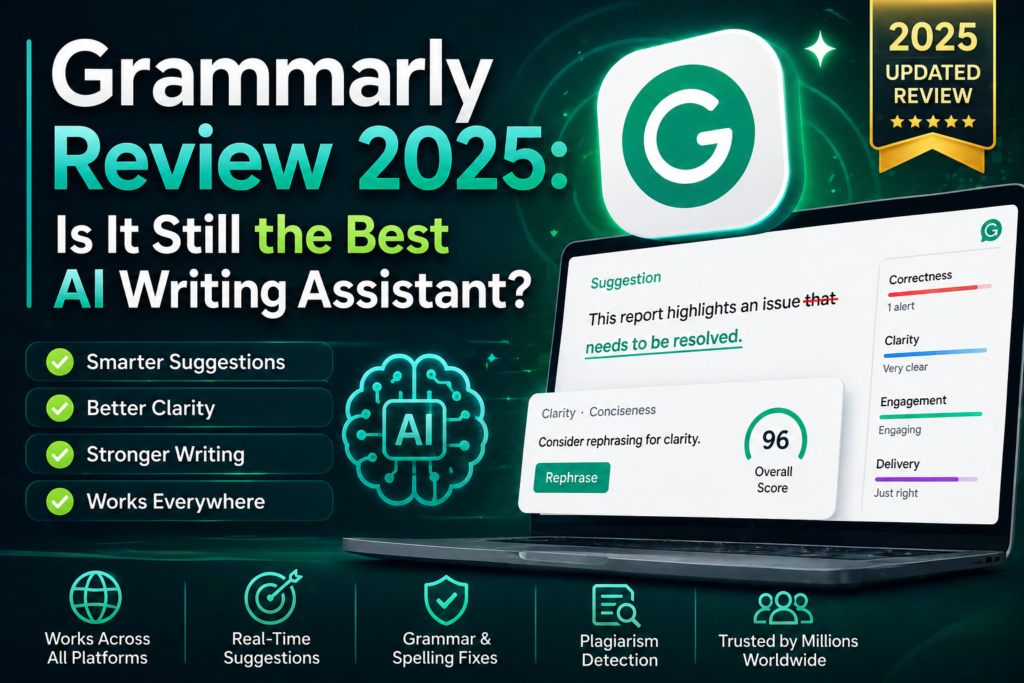
Grammarly is the most widely used AI writing assistant
in the world with over 30 million daily users. But
with ChatGPT and Claude offering free writing help
is Grammarly still worth paying for in 2025? We
tested it extensively to find out.
QUICK VERDICT
Tool: Grammarly
Score: 8.3/10
Best for: Professionals who need polished error-free writing
Price: Free / $12/month (Pro) / $15/month (Business)
Free Plan: Yes — genuinely useful free tier
Verdict: Worth it for professional writers and teams
PROS
✓ Best grammar and spelling checking available
✓ Tone detection and adjustment
✓ Plagiarism checker on paid plans
✓ Works everywhere — browser docs email
✓ Writing style suggestions beyond grammar
✓ GrammarlyGO AI writing assistant included
✓ Clear actionable suggestions
✓ Business plan has team features
CONS
✗ Free plan limited compared to paid
✗ $12/month expensive versus free AI alternatives
✗ Can be overly aggressive with suggestions
✗ Plagiarism checker requires Premium
✗ Less capable than Claude for actual writing
WHAT IS GRAMMARLY?
Grammarly is an AI-powered writing assistant that
checks grammar spelling punctuation clarity
engagement and delivery in real time. It works
across browsers Microsoft Office Google Docs
email clients and desktop apps — making it
the most integrated writing tool available.
Beyond basic grammar checking Grammarly now
includes GrammarlyGO — an AI writing assistant
that can generate text rewrite sentences and
adjust tone on command.
HOW WE TESTED GRAMMARLY
We tested Grammarly over 30 days across:
- Blog post editing and proofreading
- Professional email writing
- Marketing copy review
- Academic writing assistance
- Comparing against manual editing
- Testing GrammarlyGO for content generation
GRAMMARLY PRICING
Free Plan — $0/month
- Grammar and spelling checks
- Basic punctuation suggestions
- Tone detection
- Limited GrammarlyGO prompts
- Browser extension
Premium Plan — $12/month
- Everything in Free
- Advanced grammar suggestions
- Clarity and conciseness improvements
- Plagiarism checker
- Full GrammarlyGO access
- Style guide suggestions
- Vocabulary enhancement
Business Plan — $15/month per user
- Everything in Premium
- Team style guides
- Brand tone settings
- Analytics dashboard
- Priority support
- Centralized billing
The free plan catches most common errors
and is sufficient for casual writing.
Premium is worth it for professionals
who publish content regularly.
GRAMMARLY KEY FEATURES
Grammar and Spelling
Grammarly’s core feature remains best in class.
It catches errors that Microsoft Word and Google
Docs miss — complex grammatical issues subject
verb agreement problems and subtle spelling
errors in context.
Tone Detection
Grammarly analyzes the tone of your writing
and tells you how it comes across — confident
friendly formal or aggressive. You can then
adjust to match your intended audience.
Clarity Suggestions
Beyond grammar Grammarly suggests ways to
make your writing clearer and more concise.
It flags overly complex sentences unnecessary
words and passive voice.
Plagiarism Checker
Premium users get access to Grammarly’s
plagiarism checker which scans against
billions of web pages. Essential for
content creators who need to verify
originality before publishing.
GrammarlyGO
Grammarly’s AI writing assistant can
generate text from prompts rewrite
existing content adjust tone and
suggest improvements. Less capable
than Claude or ChatGPT for complex
writing but convenient for quick fixes.
Browser Extension
Grammarly works everywhere you write online —
Gmail LinkedIn Twitter Google Docs WordPress
and any web form. The seamless integration
is one of its biggest advantages over
standalone AI tools.
OUTPUT QUALITY — WHAT WE FOUND
Grammar checking is genuinely best in class.
In our testing Grammarly caught errors that
both human proofreaders and other tools missed.
For professional writing this level of accuracy
is valuable.
GrammarlyGO for AI writing is decent but not
competitive with Claude or ChatGPT. Use
Grammarly for editing not for generating
content from scratch.
Tone suggestions are helpful but can feel
overly conservative. Grammarly sometimes
flags intentionally casual or creative
writing as needing adjustment.
GRAMMARLY SCORE BREAKDOWN
Grammar Checking: 9.5/10
Tone Detection: 8.5/10
Clarity Suggestions: 8.8/10
Plagiarism Checker: 8.3/10
GrammarlyGO: 7.2/10
Integration: 9.5/10
Value: 7.8/10
Overall: 8.3/10
HOW GRAMMARLY COMPARES
Grammarly vs ProWritingAid
ProWritingAid offers more in-depth writing
analysis at a similar price. Grammarly wins
for real-time checking and integration.
Different strengths for different users.
Grammarly vs Claude for Editing
Claude can edit writing with impressive
accuracy but requires copy-pasting content
in and out. Grammarly’s inline suggestions
across every app make it more practical
for day-to-day professional writing.
Grammarly vs Hemingway Editor
Hemingway focuses on readability and
simplicity. Grammarly is more comprehensive
covering grammar tone and plagiarism.
Many writers use both together.
WHO IS GRAMMARLY BEST FOR?
Grammarly is best for:
- Professionals writing client-facing content
- Non-native English speakers
- Content creators who publish regularly
- Students writing academic papers
- Anyone who sends lots of professional emails
- Teams who need consistent writing quality
Grammarly is NOT ideal for:
- Users who just need basic spell check
- Writers who prefer minimal interruption
- Users on very tight budgets
- Anyone whose primary need is content generation
OUR VERDICT
Grammarly earns its 8.3/10 as the best AI
writing assistant for error checking and
professional polish. Its grammar checking
remains best in class and the seamless
integration across every app makes it
uniquely practical.
The main question is whether $12/month is
justified when ChatGPT and Claude offer
free writing help. The answer depends on
your workflow — if you write in many
different apps Grammarly’s everywhere
integration is worth the cost. If you
primarily write in one place Claude
or ChatGPT may cover your needs for free.
Also check out these related reviews:
- Best AI Writing Tools 2025
[link to aitooldecks.com/best-ai-writing-tools-2025/] - Writesonic Review — Best AI Content Writer
[link to aitooldecks.com/writesonic-review/] - Claude AI Review — Best for Long Writing
[link to aitooldecks.com/claude-ai-review/]
FREQUENTLY ASKED QUESTIONS
Is Grammarly free?
Yes — Grammarly has a genuinely useful free
plan that covers grammar spelling and basic
tone detection. The Premium plan at $12/month
adds plagiarism checking advanced suggestions
and full GrammarlyGO access.
Is Grammarly worth paying for?
For professionals who write client-facing
content regularly yes — the advanced grammar
suggestions plagiarism checker and tone
tools justify $12/month. For casual writers
the free plan is sufficient.
Is Grammarly better than ChatGPT for editing?
For inline real-time editing across all
your apps yes — Grammarly’s integration
makes it more practical than copying
content into ChatGPT. For generating
or rewriting large sections of content
ChatGPT and Claude are more capable.
Does Grammarly work with Google Docs?
Yes — Grammarly has a Google Docs integration
that works seamlessly. It also works with
Microsoft Word Gmail and virtually every
web-based writing application.