Disclosure: Some links in this article are affiliate
links. We may earn a commission if you click and make
a purchase, at no extra cost to you.
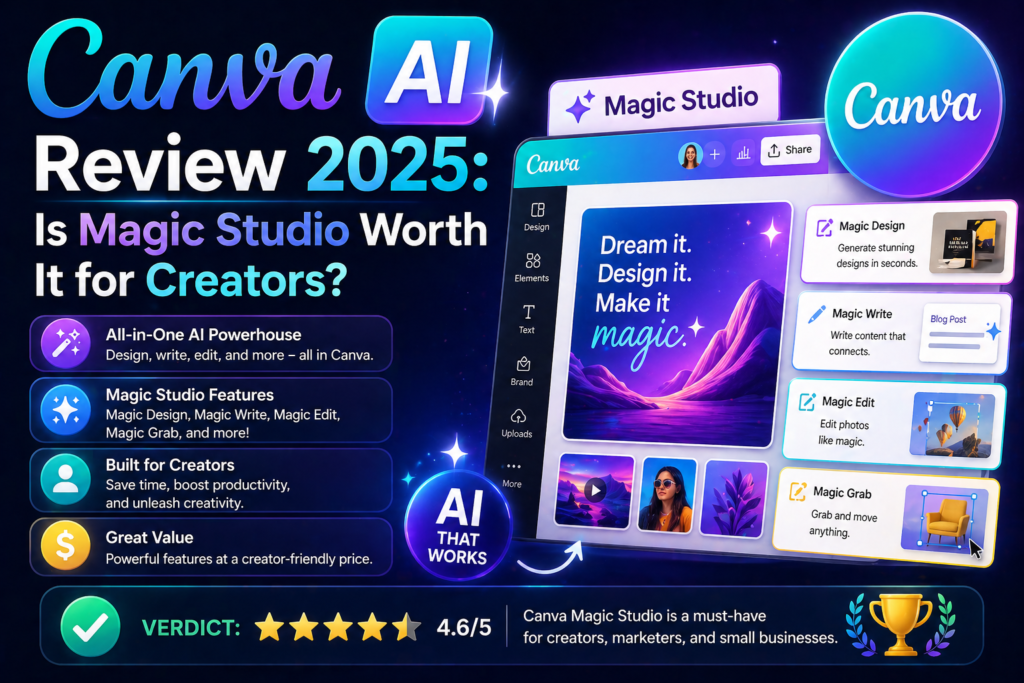
Canva has transformed from a simple design tool
into an AI-powered creative platform. Magic Studio
brings AI image generation text effects background
removal and content writing to one of the world’s
most popular design tools. We tested every AI
feature to give you an honest verdict.
QUICK VERDICT
Tool: Canva AI (Magic Studio)
Score: 8.3/10
Best for: Non-designers who need professional visuals
Price: Free / $15/month (Pro) / $30/month (Teams)
Free Plan: Yes — with limited AI features
Verdict: Worth it for content creators and marketers
PROS
✓ Most accessible AI design tool available
✓ Magic Media generates images from text
✓ Background removal is excellent and instant
✓ Magic Write for AI text generation
✓ Thousands of templates for every use case
✓ Resize designs automatically for every platform
✓ Brand kit keeps designs consistent
✓ Presenter tools with AI speaker notes
CONS
✗ Image generation quality below Midjourney
✗ Magic Write less capable than Claude or ChatGPT
✗ Best AI features require Pro at $15/month
✗ Canvassador program required for affiliate access
✗ Can feel limiting for advanced designers
WHAT IS CANVA AI?
Canva AI refers to the suite of artificial
intelligence features built into Canva’s
design platform under the Magic Studio banner.
These include Magic Media for image generation
Magic Write for text creation Magic Eraser
for object removal Magic Resize for automatic
reformatting and more.
With over 150 million users Canva is already
the world’s most popular design tool. The
addition of AI features makes it even more
powerful for non-designers who need to produce
professional visual content quickly.
HOW WE TESTED CANVA AI
We tested Canva’s AI features over several weeks:
- Generating images with Magic Media
- Writing captions and copy with Magic Write
- Removing backgrounds from photos
- Erasing objects from images
- Auto-resizing designs across formats
- Creating presentations with AI speaker notes
- Comparing image quality to Midjourney and Leonardo
CANVA AI PRICING
Free Plan — $0/month
- Limited Magic Media generations
- Basic Magic Write access
- Background removal (limited)
- Thousands of free templates
- 5GB cloud storage
Pro Plan — $15/month
- Everything in Free
- Unlimited Magic Media generations
- Full Magic Write access
- Unlimited background removal
- Brand Kit for consistency
- Magic Resize across all formats
- 1TB cloud storage
- Premium templates and elements
Teams Plan — $30/month per user
- Everything in Pro
- Team collaboration features
- Multiple brand kits
- Admin controls
- Centralized billing
The Pro plan at $15/month is excellent value
for content creators and marketers who
need regular design work.
CANVA AI KEY FEATURES
Magic Media — AI Image Generation
Type a description and Magic Media generates
images in multiple styles — photo illustration
watercolor and more. Quality is good for
social media graphics and general marketing
use but trails dedicated tools like Midjourney
for artistic quality.
Magic Write — AI Text Generation
Magic Write generates captions blog outlines
social media posts and marketing copy within
Canva. Convenient for in-context writing
but less capable than Claude or Writesonic
for longer content.
Background Removal
One of Canva’s best AI features — instant
accurate background removal with one click.
Works excellently on most subjects including
complex hair and fine details. Replaces the
need for tools like Remove.bg.
Magic Eraser
Remove unwanted objects from photos using AI.
Works similarly to Photoshop’s Generative Fill
but simpler. Results are good for basic
object removal though complex removals
sometimes show artifacts.
Magic Resize
Automatically resize any design for multiple
platforms simultaneously. Create one Instagram
post and instantly generate versions for
Facebook Twitter LinkedIn Pinterest and more —
all correctly sized.
Brand Kit
Store your brand colors fonts and logos in
Canva’s Brand Kit. Apply them consistently
across all designs with one click — essential
for maintaining visual brand consistency.
Presentations with AI
Create presentations from prompts add AI
speaker notes and use Magic Design to
generate complete slide decks from a topic.
Useful for quick presentations though
quality varies.
OUTPUT QUALITY — WHAT WE FOUND
Magic Media image quality is good for marketing
graphics and social media use — but trails
Midjourney and Leonardo AI for artistic quality.
The convenience of having image generation
built into your design tool makes up for
some quality limitations.
Background removal is genuinely excellent —
among the best one-click background removers
available at any price point.
Magic Write is convenient but not competitive
with dedicated AI writing tools. Use it for
quick captions and short copy — not for
serious blog or marketing content.
CANVA AI SCORE BREAKDOWN
Magic Media Quality: 7.8/10
Background Removal: 9.5/10
Magic Write: 7.2/10
Magic Resize: 9.3/10
Template Library: 9.5/10
Value for Money: 8.8/10
Overall: 8.3/10
HOW CANVA AI COMPARES
Canva AI vs Adobe Firefly
Adobe Firefly produces better AI images and
has commercial indemnification. Canva wins
for accessibility template library and
all-in-one design workflow. Different
audiences with some overlap.
Canva AI vs Midjourney
Midjourney produces significantly better
AI images. Canva wins for non-designers
who need a complete design workflow —
not just image generation.
Canva AI vs dedicated AI writing tools
Claude Writesonic and ChatGPT all produce
better writing than Magic Write. Use Canva
for design and a dedicated AI writing tool
for content.
WHO IS CANVA AI BEST FOR?
Canva AI is best for:
- Non-designers who need professional visuals
- Social media managers and content creators
- Small business owners handling their own marketing
- Marketers who need quick design turnarounds
- Anyone already using Canva for design work
Canva AI is NOT ideal for:
- Professional designers who need advanced tools
- Users who need the best AI image quality
- Writers who need serious content generation
- Anyone who needs commercially indemnified AI images
OUR VERDICT
Canva AI earns its 8.3/10 as the best all-in-one
AI design platform for non-designers. The
combination of AI image generation background
removal Magic Resize and thousands of templates
makes it an incredibly powerful tool for content
creators and marketers.
The AI features alone don’t justify choosing
Canva over dedicated tools — Midjourney
produces better images and Claude writes
better copy. But as part of Canva’s complete
design ecosystem the AI features add
significant value to an already essential tool.
At $15/month for Pro the value for content
creators and marketers is excellent.
Also check out these related reviews:
- Best AI Image Generators 2025
[link to aitooldecks.com/best-ai-image-generators-2025/] - Adobe Firefly Review — Best for Designers
[link to aitooldecks.com/adobe-firefly-review/] - Best AI Tools for Content Creators
[link to aitooldecks.com/best-ai-tools-content-creators/]
FREQUENTLY ASKED QUESTIONS
Is Canva AI free?
Canva has a free plan with limited AI feature
access. The Pro plan at $15/month unlocks
unlimited Magic Media generations full
Magic Write access and all AI features.
Is Canva AI good for image generation?
Canva’s Magic Media produces good images
for social media and marketing use. For
the highest quality AI images dedicated
tools like Midjourney or Leonardo AI
produce better results.
Is Canva Pro worth it for the AI features?
Yes — for content creators and marketers
the combination of unlimited AI image
generation background removal Magic Resize
and premium templates makes Canva Pro
excellent value at $15/month.
How does Canva AI compare to Adobe Firefly?
Adobe Firefly produces better AI images
and is safer for commercial use. Canva
wins for accessibility complete design
workflow and template library. For
non-designers Canva is the more
practical choice.