Disclosure: Some links in this article are affiliate
links. We may earn a commission if you click and make
a purchase, at no extra cost to you.
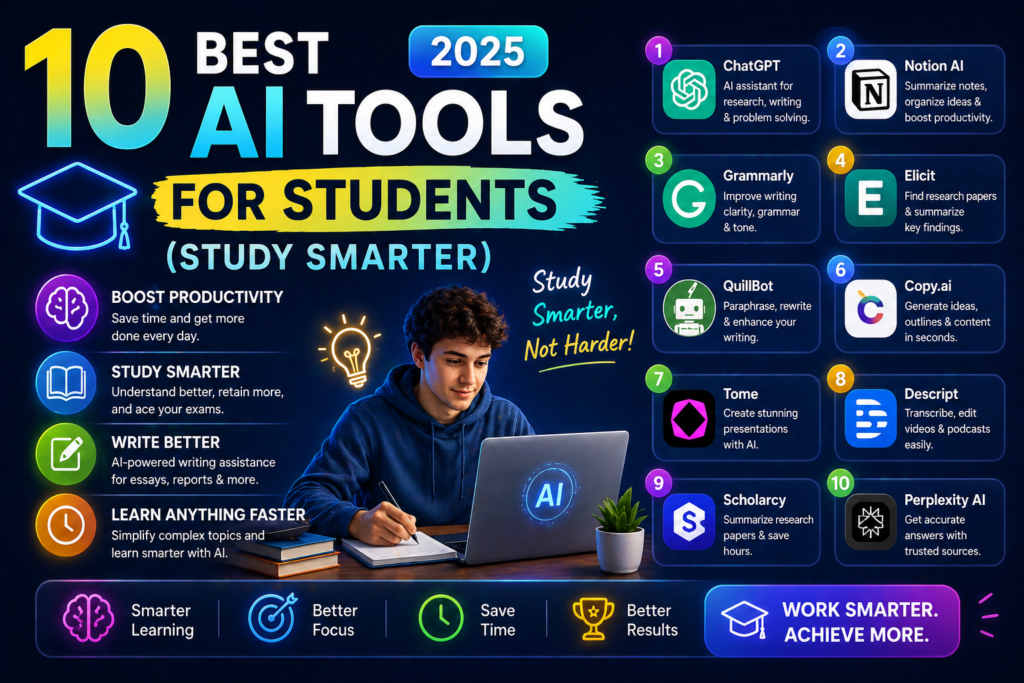
Students who use AI tools are studying more
efficiently writing better papers and understanding
complex topics faster. Here are the 10 best AI
tools for students in 2025 — most with generous
free plans that fit a student budget.
QUICK PICKS
Best AI for Research: Perplexity AI — free cited sources
Best AI Writing Assistant: Claude AI — free generous tier
Best for Grammar: Grammarly — free plan available
Best for Studying: Notion AI — organize notes with AI
Best Free Option: All of the above have free tiers
WHY STUDENTS NEED AI TOOLS IN 2025
AI tools help students:
- Research topics faster with cited sources
- Understand complex concepts through explanation
- Improve writing quality before submission
- Organize notes and study materials efficiently
- Prepare for exams with AI-generated practice questions
Important note: Always use AI ethically. Use
these tools to learn and improve your work —
not to submit AI-generated content as your own.
THE 10 BEST AI TOOLS FOR STUDENTS
- PERPLEXITY AI — Best for Research
Perplexity combines AI with real-time web
search and cited sources — making it the
perfect research tool for students. Every
answer links to its source so you can
verify information and find primary sources.
Score: 8.7/10
Price: Free / $20/month Pro
Best for: Research fact-checking finding sources
Use it for: Finding sources for papers
understanding current events researching
essay topics and fact-checking claims.
- CLAUDE AI — Best Writing Assistant
Claude produces the most natural helpful
AI writing assistance available. Use it
to improve your writing get feedback
on essays understand complex topics
and brainstorm ideas.
Score: 9.0/10
Price: Free / $20/month Pro
Best for: Writing improvement essay feedback understanding concepts
Use it for: Getting feedback on essay drafts
explaining complex academic concepts
brainstorming thesis ideas and improving
clarity and structure.
- GRAMMARLY — Best Grammar Tool
Grammarly catches grammar errors improves
clarity and helps you write more professionally.
The free plan covers most student needs
and works directly in Google Docs and
your browser.
Score: 8.3/10
Price: Free / $12/month Premium
Best for: Grammar checking professional writing
Use it for: Proofreading essays before
submission improving academic writing
style and catching errors your spell
checker misses.
- CHATGPT — Best General AI Assistant
ChatGPT handles virtually any student
task — explaining concepts answering
questions helping understand difficult
material and providing study guidance.
The free tier with GPT-4o is excellent
for most student needs.
Score: 8.5/10
Price: Free / $20/month Plus
Best for: Concept explanation study help general questions
Use it for: Explaining difficult concepts
in simple terms generating practice
questions summarizing long readings
and getting study tips.
- NOTION AI — Best Study Organization
Notion helps students organize notes
create study schedules manage deadlines
and build a personal knowledge base.
The AI add-on summarizes notes generates
study guides and answers questions
about your own notes.
Score: 8.1/10
Price: Free Notion / $10/month AI add-on
Best for: Note organization study planning knowledge management
Use it for: Organizing class notes
creating study guides from lectures
managing assignment deadlines and
building subject knowledge bases.
- QUILLBOT — Best Paraphrasing Tool
Quillbot helps students rephrase content
in their own words improve sentence
structure and summarize long texts.
The free plan paraphrases up to 125
words at a time.
Score: 7.8/10
Price: Free / $10/month Premium
Best for: Paraphrasing summarizing rewording
Use it for: Rephrasing source material
into your own words summarizing long
articles and improving sentence variety.
- OTTER AI — Best for Lecture Notes
Otter AI transcribes lectures and class
discussions in real time. Never miss
important information — review searchable
transcripts instead of struggling to
keep up with handwritten notes.
Score: 8.4/10
Price: Free (300 min/month) / $17/month Pro
Best for: Lecture transcription class notes
Use it for: Recording and transcribing
lectures reviewing key discussion points
and creating searchable archives of
class material.
- WOLFRAM ALPHA — Best for STEM Students
Wolfram Alpha solves math problems shows
step-by-step solutions and handles complex
scientific calculations. Essential for
STEM students who need to understand
how mathematical solutions are reached.
Score: 8.5/10
Price: Free / $7.25/month Pro
Best for: Math science engineering calculations
Use it for: Solving equations step by step
understanding calculus chemistry and
physics problems and checking mathematical work.
- GOOGLE GEMINI — Best for Google Users
Gemini integrates with Google Docs Gmail
and Google Drive — making it seamlessly
useful for students already in the
Google ecosystem. Summarize documents
draft emails and get research help
without leaving Google’s tools.
Score: 8.2/10
Price: Free / $20/month Advanced
Best for: Google Workspace users research integration
Use it for: Summarizing Google Docs
drafting professional emails to professors
and researching topics with Google integration.
- SCHOLARCY — Best for Academic Papers
Scholarcy automatically summarizes academic
papers extracts key findings and creates
flashcards from research articles.
Essential for students who need to
process large volumes of academic literature.
Score: 7.9/10
Price: Free / $10/month Personal
Best for: Academic paper summarization research literature
Use it for: Quickly understanding academic
papers before deciding whether to read
in full extracting key findings and
creating study flashcards.
THE FREE STUDENT AI STACK
Start with these completely free tools:
- Perplexity AI — research with citations
- Claude AI — writing assistance
- Grammarly — grammar checking
- ChatGPT — concept explanation
- Otter AI — lecture transcription (300 min/month)
This free stack covers most student AI
needs at zero cost.
IMPORTANT NOTE ON ACADEMIC INTEGRITY
AI tools are powerful learning aids but
must be used ethically:
Use AI to: Learn concepts faster improve
your own writing get feedback and
research more efficiently.
Do NOT use AI to: Submit AI-generated
content as your own writing pass off
AI research as personal analysis
or violate your institution’s AI policy.
Always check your institution’s AI use
policy before using these tools for
academic work.
OUR VERDICT
The best free student AI stack starts
with Perplexity for research Claude AI
for writing assistance and Grammarly
for proofreading. Together these three
free tools cover the most important
student use cases at zero cost.
Add Notion for organization and Otter AI
for lecture transcription — both have
generous free plans — and you have a
complete AI toolkit that costs nothing.
TRY CLAUDE AI FREE — BEST WRITING ASSISTANT →
Also check out:
FREQUENTLY ASKED QUESTIONS
What is the best free AI tool for students?
Perplexity AI for research and Claude AI
for writing assistance are the best free
AI tools for students. Both have generous
free tiers with no credit card required
and cover the most important student needs.
Is it cheating to use AI tools as a student?
Using AI to learn understand concepts
and improve your own work is not cheating.
Submitting AI-generated content as your
own original work is academic dishonesty.
Always follow your institution’s specific
AI use policy.
What AI tool is best for writing essays?
Claude AI is the best AI tool for essay
writing assistance. Use it to get feedback
on your drafts improve structure and
clarity and understand how to strengthen
your arguments — not to write the essay for you.
Is Grammarly free for students?
Yes — Grammarly has a free plan that covers
grammar spelling and basic tone checking.
Many universities also provide free Grammarly
Premium access to students — check with
your institution before paying.